Services overview
The databases, caches, mail servers and search engines Joppa runs in containers, and how to add them.
A service is a server shared by your projects, which Joppa runs in your container runtime. Open Services in the sidebar: the page lists your services, then the catalog.
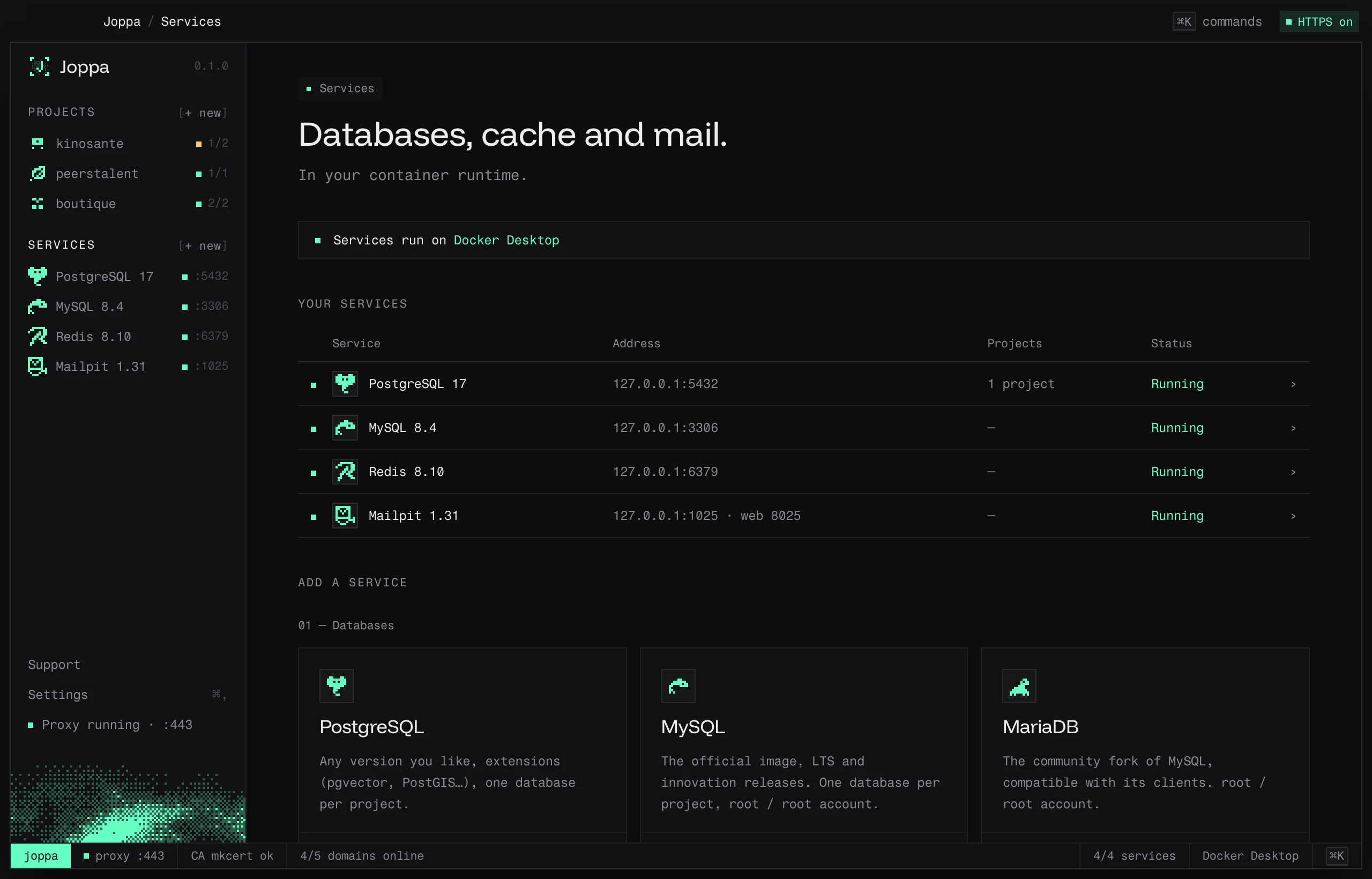
The catalog
| Service | Versions | Default port | Account or key |
|---|---|---|---|
| PostgreSQL | 18, 17, 16, 15, 14 | 5432 | postgres / postgres |
| MySQL | 9.7, 8.4, 8.0 | 3306 | root / root |
| MariaDB | 12.3, 11.8, 11.4, 10.11 | 3306 | root / root |
| Redis | 8.10, 8.8, 7.4 | 6379 | — |
| Valkey | 9.2, 9.1, 8.1 | 6379 | — |
| Mailpit | 1.31 | SMTP 1025, web inbox 8025 | — |
| Typesense | 30.2, 29.1 | 8108 | API key of its own (joppa-…) |
| Meilisearch | 1.55, 1.54 | 7700 | master key of its own (joppa-…) |
The first version listed is the default.
Add a service
Click + Add PostgreSQL (or another one) in the catalog. Choose the version and port: Joppa suggests the first free port starting from the default one (a MariaDB added next to a MySQL takes 3307). The service starts in a container named joppa-<engine>.
All services listen on 127.0.0.1 only: they’re not visible from the network.
Free version and Joppa Pro
The free version includes PostgreSQL (with its extensions), MySQL, MariaDB and Mailpit, one server of each. Redis, Valkey, Typesense and Meilisearch carry a Pro badge in the list of services to add, and several servers of the same engine (two PostgreSQL, for example) also need Joppa Pro. Database import and export are free; their snapshots need Joppa Pro.
On the free version, opening one of them shows a notice and saving is disabled, with See Joppa Pro:
- “Redis is included in Joppa Pro. The free version includes PostgreSQL, MySQL, MariaDB and Mailpit.”
- “The free version includes one PostgreSQL server. Upgrade to Joppa Pro to add more.”
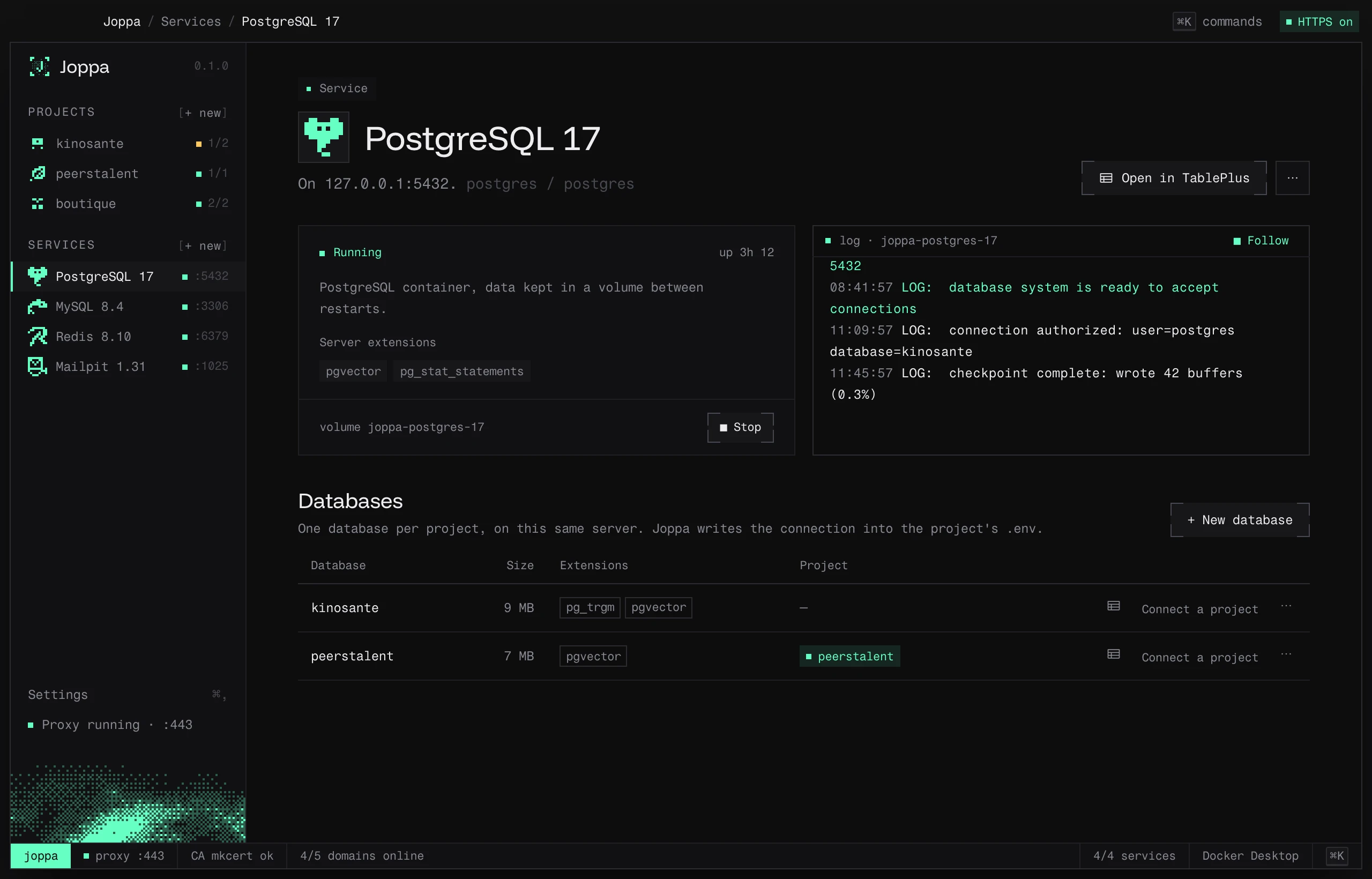
A service’s page
- Start / Stop, and how long it’s been running.
- Copy server URL (or the address, API key or master key, depending on the service).
- Open in TablePlus for databases and caches, Open inbox for Mailpit, Open preview for Meilisearch.
- Projects: the projects that use it, Connect a project and Unlink. Joppa writes the service’s address into their
.envand keeps it up to date. - Resources: the container’s CPU, memory, network and disk, sampled every 5 s while the page is open, with the curve of the last five minutes. 100% CPU is one full core.
- log: the container’s logs across the full width, with Follow.
- Actions menu: Version and port… (or Version, port and extensions… for PostgreSQL) and Remove service….
Change version or port
Changes apply on the next start; the page offers ↻ Apply changes (the container is recreated, data is kept).
- Each version has its own data, in a volume (
joppa-postgres-17). Switching from 17 to 18 starts an empty server; going back to 17 brings its databases back. - Changing the port updates the
.envof linked projects.
Remove a service
Remove service… deletes the container. Data stays in its volume: adding the same service again brings it back.
Port in use
If the port is already taken, the page shows “✕ Port 5432 is used by …” with two options: Change port, or Free the port. Joppa identifies the culprit and offers the right action:
| Occupant | Suggested action |
|---|---|
| Docker, Compose or Lerd container | Stop it |
| Homebrew service | brew services stop … (it won’t start again at login) |
| Postgres.app | Not possible from Joppa: click “Stop” in Postgres.app |
| Other process | Stop it directly, after confirmation |