New project from a template
Create a Vite+, Next.js, Nuxt, Astro, SvelteKit or Laravel project, or one from a GitHub repository, with its pinned versions and its domains.
New project (on the home screen, in the ⌘ K palette, or N in the TUI) creates a project from a template, pins its versions, then adds it to Joppa with its domains. No interactive prompts: everything is set in the window.
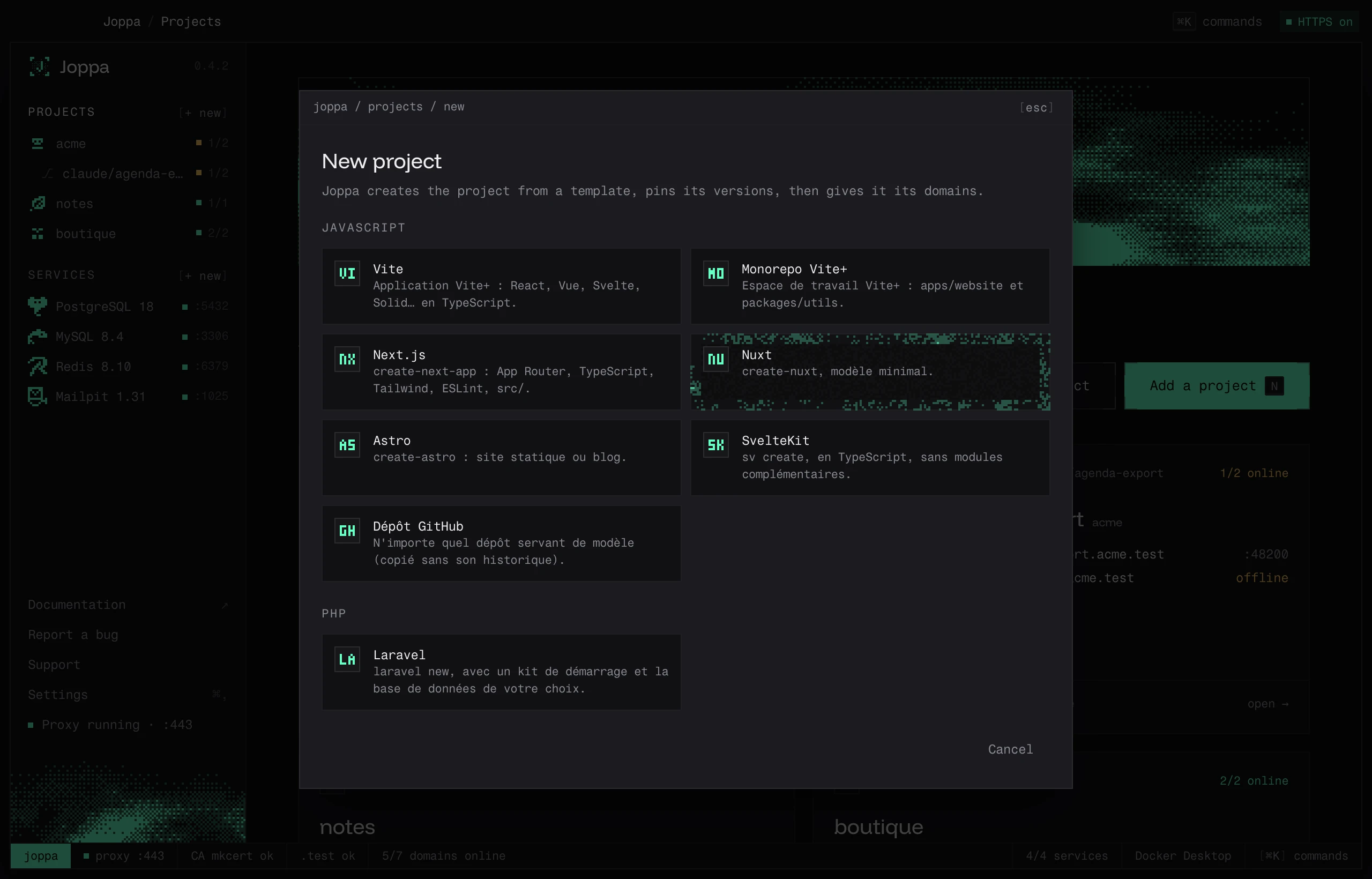
Templates
| Template | Created with | Variants |
|---|---|---|
| Vite | vp create (Vite+) |
React, Vue, Svelte, Solid, Preact, Lit, no framework (TypeScript) |
| Vite+ monorepo | vp create vite:monorepo |
apps/website and packages/utils |
| Next.js | create-next-app |
App Router, TypeScript, Tailwind, ESLint, src/ |
| Nuxt | create-nuxt |
minimal |
| Astro | create-astro |
Minimal, Basics, Blog, Portfolio |
| SvelteKit | sv create |
Minimal, Demo, Library |
| GitHub repository | copy of the repository | owner/repo, owner/repo#branch or URL; copied without history |
| Laravel | laravel new or composer create-project |
Kit: none, React, Vue, Svelte, Livewire |
The JavaScript templates go through Vite+, which Joppa installs at first launch. While it is still installing, the window says so and the templates turn on as soon as it is ready.
Options
- Name: lowercase letters, digits and dashes.
- Parent folder:
~/Codeby default. - Packages: bun (default), pnpm, npm or yarn.
- Node: Don’t pin, Latest LTS or a major version.
- Initialize a git repository. On a new Mac, git isn’t there yet (it comes with Apple’s command line tools): the window says so and the project is created without a repository. Install git opens Apple’s install window; once it’s done (a few minutes), Joppa notices git on its own.
Laravel
- PHP: 8.5, 8.4 (default), 8.3, 8.2 or 8.1. A missing version is downloaded from static-php.dev (≈ 15 MB).
- Database: SQLite (default), PostgreSQL, MySQL or MariaDB. For the last three, choose “Database project in service” (Joppa creates the database in one of your services) or “My own database (nothing to create)”.
- Tests: Pest or PHPUnit.
- Kit’s sign-in pages: unchecking removes authentication.
Creation
Before starting, the window shows the exact commands that will run. During creation, the log scrolls live; Cancel creation stops everything and deletes the folder.
With pnpm, dependencies that have a build script (esbuild, for example) don’t block the creation: Joppa then approves them with pnpm approve-builds --all, which records them in pnpm-workspace.yaml (allowBuilds). A later pnpm install in the project therefore passes without “Ignored build scripts”.
When it’s done, the project is added with its .test domains. A Laravel project gets myproject.test → :8000 (php artisan serve) and a .php-version.