Ports 80 and 443 in use
Lerd, Laravel Herd, Valet, Apache, Caddy, MAMP, DDEV or a container holds the proxy's port: how Joppa names it and offers the right way to stop it.
Joppa’s proxy needs port 443 (HTTPS) and, for the redirect, port 80. Only one program at a time can listen on a port: if another local server already holds them, Joppa can’t start its proxy. It then tells you who holds them and offers to stop it the way that tool expects, never by blindly killing a process.
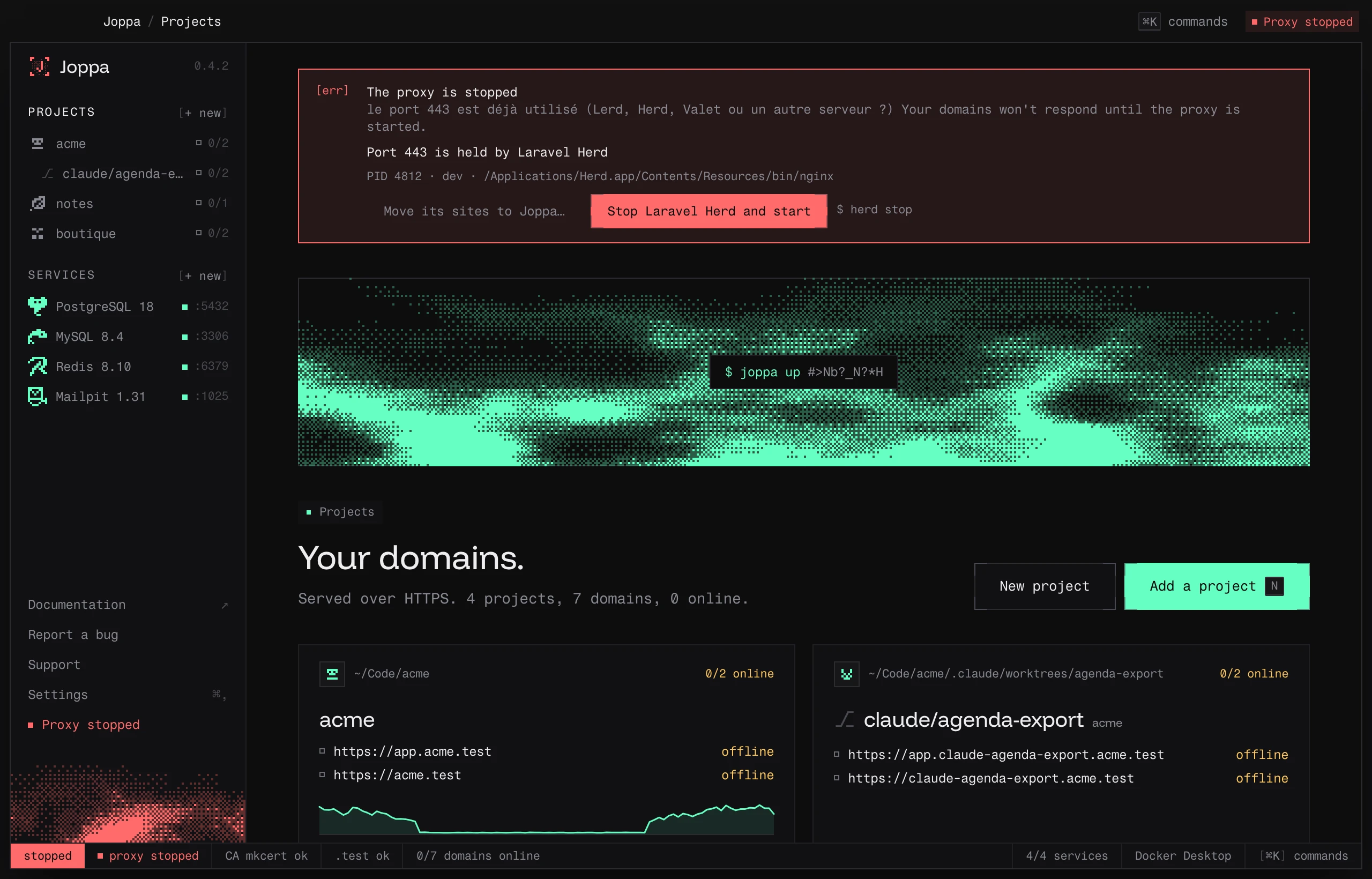
The banner
When the proxy can’t start because the port is taken, the red banner at the top of the window shows “Port 443 is held by …” with what Joppa found: the tool’s name, the PID, the user and the executable’s path (or the container and its runtime). The button does the rest: it stops the occupant, waits for the port to be freed, then starts the proxy.
| Occupant | Button | What Joppa does |
|---|---|---|
| Lerd (its nginx, in Podman) | Stop Lerd and start | lerd stop |
| Laravel Herd | Stop Laravel Herd and start | herd stop (without the herd command: quit Herd from its menu bar) |
| Laravel Valet (Homebrew’s nginx run as root) | Stop Laravel Valet and start | brew services stop nginx as root, with your password |
macOS’s Apache (/usr/sbin/httpd) |
Stop Apache (macOS) and start | apachectl stop, with your password |
| Homebrew service (nginx, httpd, caddy…) | Stop … and start | brew services stop <formula> |
| systemd service (Linux: nginx, apache2, caddy…) | Stop … and start | systemctl stop <unit>, with your password |
| Caddy | Stop Caddy and start | caddy stop |
| MAMP | Stop MAMP and start | its stopApache.sh script, with your password |
DDEV (its ddev-router) |
Stop DDEV and start | ddev poweroff |
| Laravel Sail or Traefik, in a container | Stop Laravel Sail and start (or Traefik) | docker stop <container> (or podman stop) |
| Another container | Stop the container and start | docker stop <container> (or podman stop) |
| Another process of yours | End … and start | It sends it a stop signal, after you confirm |
The equivalent command is shown next to the button, so you can run it yourself if you prefer. Before acting, Joppa checks that the occupant hasn’t changed since it was shown.
When the occupant is Lerd, Herd, DDEV or Sail, the banner also offers Move its sites to Joppa…: see Migrating from Lerd, Herd, DDEV or Sail.
Port 80 only
If only port 80 is taken, the proxy still starts: HTTPS works, but http:// no longer redirects to https://. Settings › Proxy then names what holds port 80 and offers Free port 80: Joppa stops it the same way, then restarts its proxy with the redirect.
Lerd
Lerd also serves .test sites on ports 80 and 443: the two can’t serve at the same time. When the proxy starts, if Lerd’s nginx holds the ports, the banner offers Stop Lerd and start.
Stopping Lerd stops its containers (nginx, PHP-FPM, services), but not its DNS resolution: your .test domains keep pointing to your machine, and Joppa leaves it in place (see Resolving .test domains).