Migrating from Lerd, Herd, DDEV or Sail
Bring over the sites of Lerd, Laravel Herd, DDEV or Laravel Sail in one go: projects and domains, databases copied into Joppa, .env rewritten with a diff and a backup.
Already using Lerd, Laravel Herd, DDEV or Laravel Sail? Migrate to Joppa brings your sites over in one go: each site becomes a Joppa project with its .test domain on HTTPS, its databases are copied into Joppa’s services, and its .env is pointed at Joppa. The old tool is only read: its files and databases are never changed, and it is stopped only if you ask.
Open it from:
- the welcome screen, on first launch: Migrate from Lerd, Herd, DDEV or Sail…;
- Settings › Migrate to Joppa;
- the ⌘ K palette: “Migrate from Lerd, Herd, DDEV or Sail…”;
- the proxy banner, when Lerd, Herd, DDEV or Sail holds port 443: Move its sites to Joppa… (see Ports 80 and 443 in use).
1. The sites found
Joppa looks for each tool’s sites where that tool keeps them:
| Tool | Where Joppa looks | Databases |
|---|---|---|
| Lerd | lerd sites, its sites file, and .lerd.yaml in each project |
Its Podman containers (lerd-mysql, lerd-postgres), with the credentials from the project’s .env |
| Laravel Herd | Its configuration: parked folders (each subfolder is a site) and links (herd link) |
Herd Pro’s services on your machine (DB_HOST and DB_PORT from the .env) |
| DDEV | ~/.ddev/project_list.yaml and .ddev/config.yaml |
The ddev-<project>-db container |
| Laravel Sail | Running laravel.test containers, and docker-compose.yml files with a laravel.test service |
The MySQL, MariaDB or PostgreSQL services of the Compose file |
Joppa also looks in your usual code folders (~/Code, ~/Sites, ~/Projects, ~/Herd…), one level down. A project somewhere else? Add a folder… reads it.
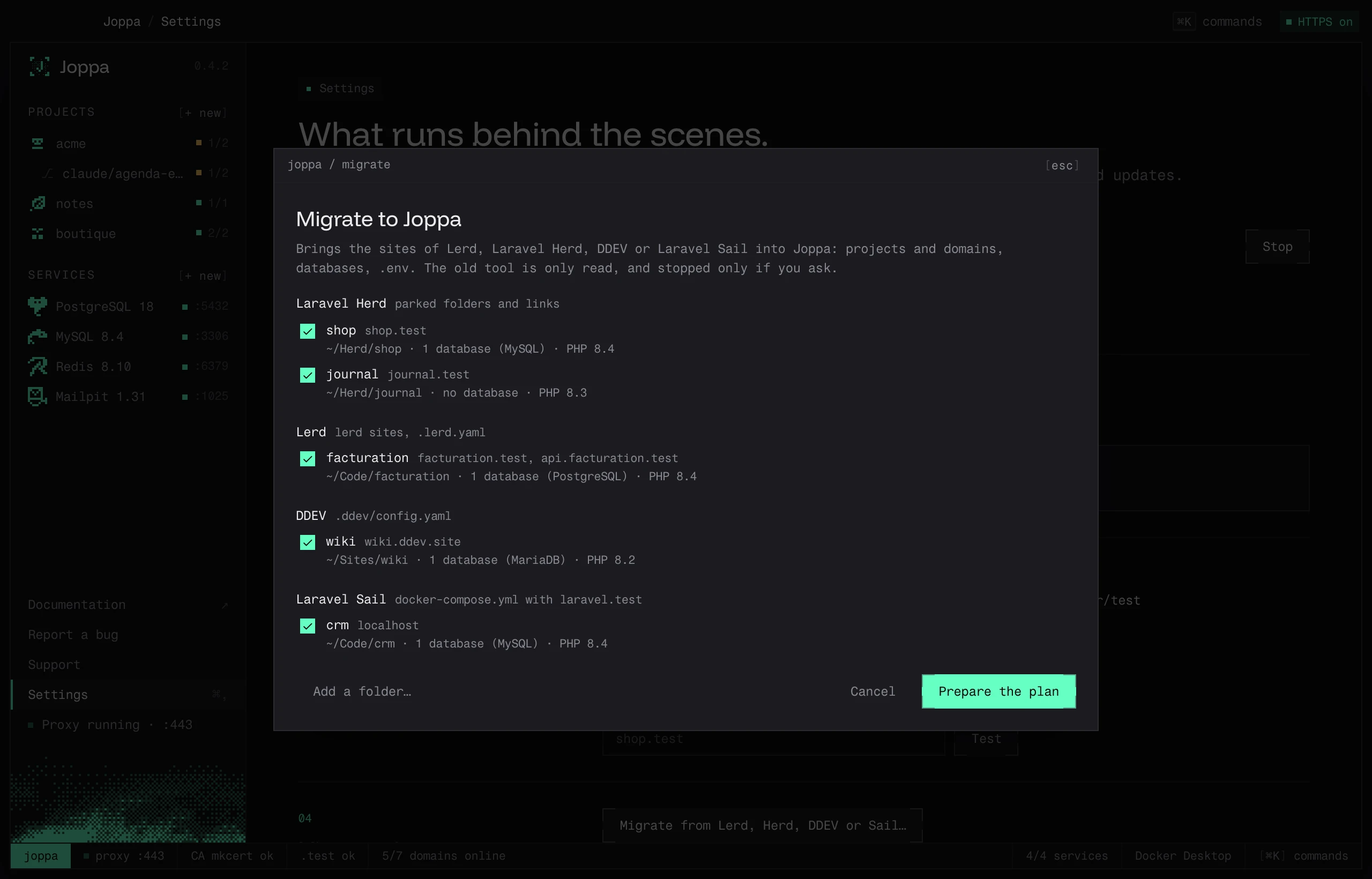
Each site shows its domains, its folder, its databases and its PHP version. Sites not yet in Joppa are ticked; those already there are marked “already in Joppa”. Tick the ones to migrate, then Prepare the plan.
2. The plan
For each site, before anything changes:
- The domain: the tool’s own if it’s already under
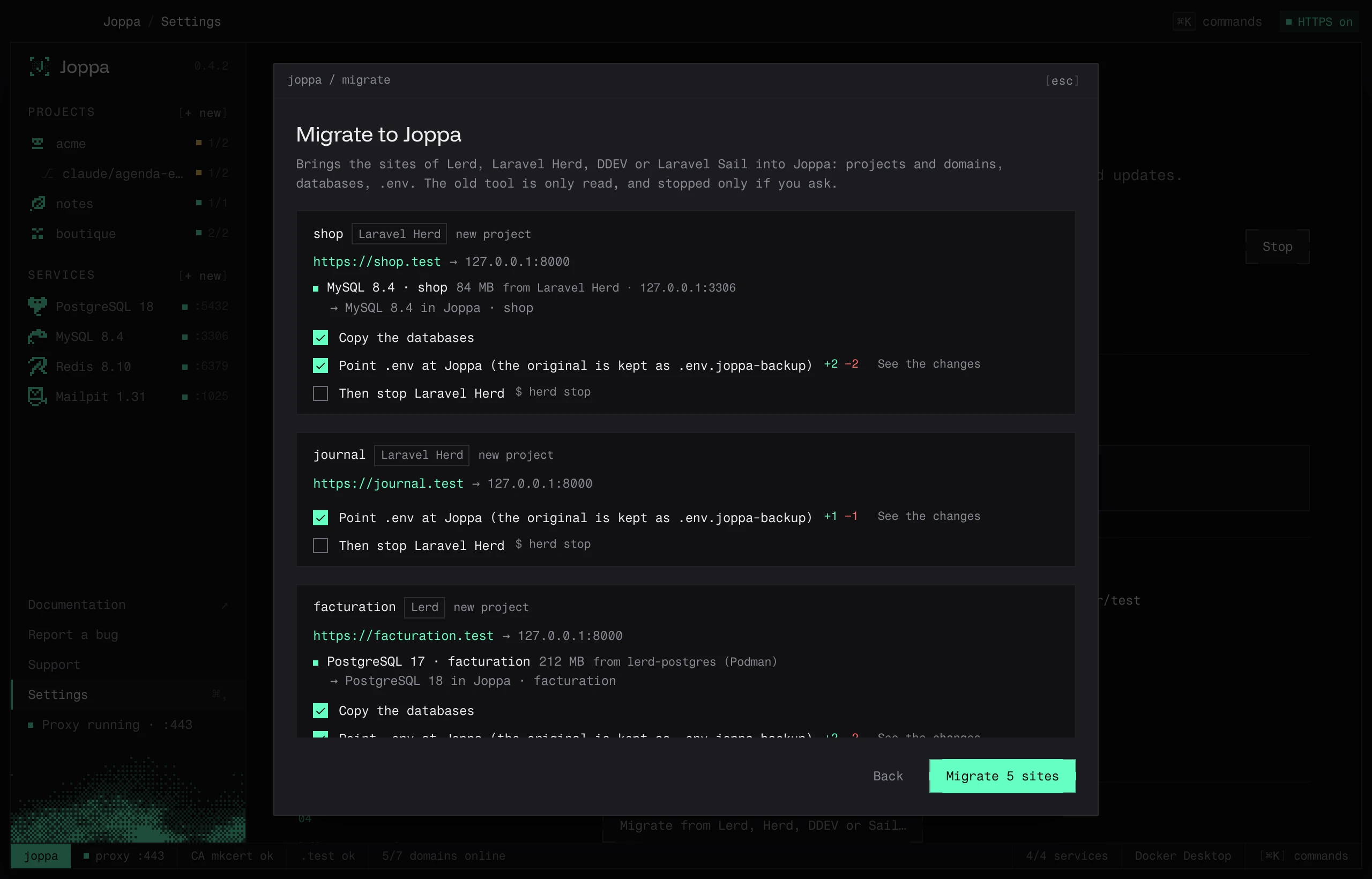
.test(Lerd, Herd), otherwise<name>.test(blog.ddev.sitebecomesblog.test). If it’s already taken in Joppa,blog-2.test. It is routed to127.0.0.1:8000, the port ofphp artisan serve, or to the dev server Joppa detects for a non-Laravel project. - Each database: its engine and version, its size, where it’s read from, and the Joppa service that receives it (“→ MySQL 8.4 in Joppa · shop”). With no compatible service, Joppa creates one, in the source’s version if Joppa offers it and on a free port (“→ new PostgreSQL 17 service (port 5433)”). A database with the same name already exists? The first free name is used (
shop_import). - The
.env: the diff of what changes (DB_HOST,DB_PORT,DB_DATABASE,DB_USERNAME,DB_PASSWORD,APP_URLashttps://), with See the changes.
Three checkboxes per site:
| Checkbox | Effect |
|---|---|
| Copy the databases | Copies each database into its Joppa service, like the Docker Compose import: export with the source’s client, database creation, restore, then a comparison of the number of tables |
| Point .env at Joppa | Writes the .env shown by the diff. The original is kept as .env.joppa-backup |
| Then stop … | Stops the old tool once the site is migrated: lerd stop, herd stop, ddev stop <project>, ./vendor/bin/sail stop |
3. The migration
Migrate N sites runs the steps, site by site, with their progress: project, databases, .env, stop. A failed step doesn’t stop the others; the final report says, for each site, what was done or why it failed, with Open to go to the project. Running the migration again for a site already migrated reuses its existing project.
If the old tool was stopped and Joppa’s proxy wasn’t running (the tool held port 443), Joppa starts its proxy at the end.
What stays as it is
- The project’s files, except the
.envif you ticked it (backed up first). - The old tool’s databases: they are only read.
- The old tool’s configuration (its sites, its links, its DNS). If you keep Lerd, Herd or Valet, their
.testresolution keeps serving Joppa; if you uninstall them, Joppa offers to write its own (see Resolving .test domains).