Keyboard shortcuts
Every Joppa shortcut, the ⌘K palette and its commands. On Linux, ⌘ is Ctrl.
Joppa can be driven entirely from the keyboard. Single-key shortcuts are ignored while you type in a field or when a dialog is open.
Everywhere
| Shortcut | Action |
|---|---|
| ⌘ K | Open / close the command palette |
| ⌘ J | Open / close the processes terminal |
| ⌘ , | Settings |
| N | Add a project |
| ⌘ ⏎ | Confirm Add a project and New project |
| ← → | Switch between tabs |
On a project page
| Key | Action |
|---|---|
| O | Open the first domain in the browser |
| D | Domains tab |
| P | Processes tab |
| E | Environment tab |
| R | Runtime tab |
| S | Analytics tab |
| A | Add a domain (jumps to the field) |
| I | Change icon |
In the .env editor
| Shortcut | Action |
|---|---|
| / · ⌘ F | Search |
| ⌘ S | Review and save |
The ⌘K palette
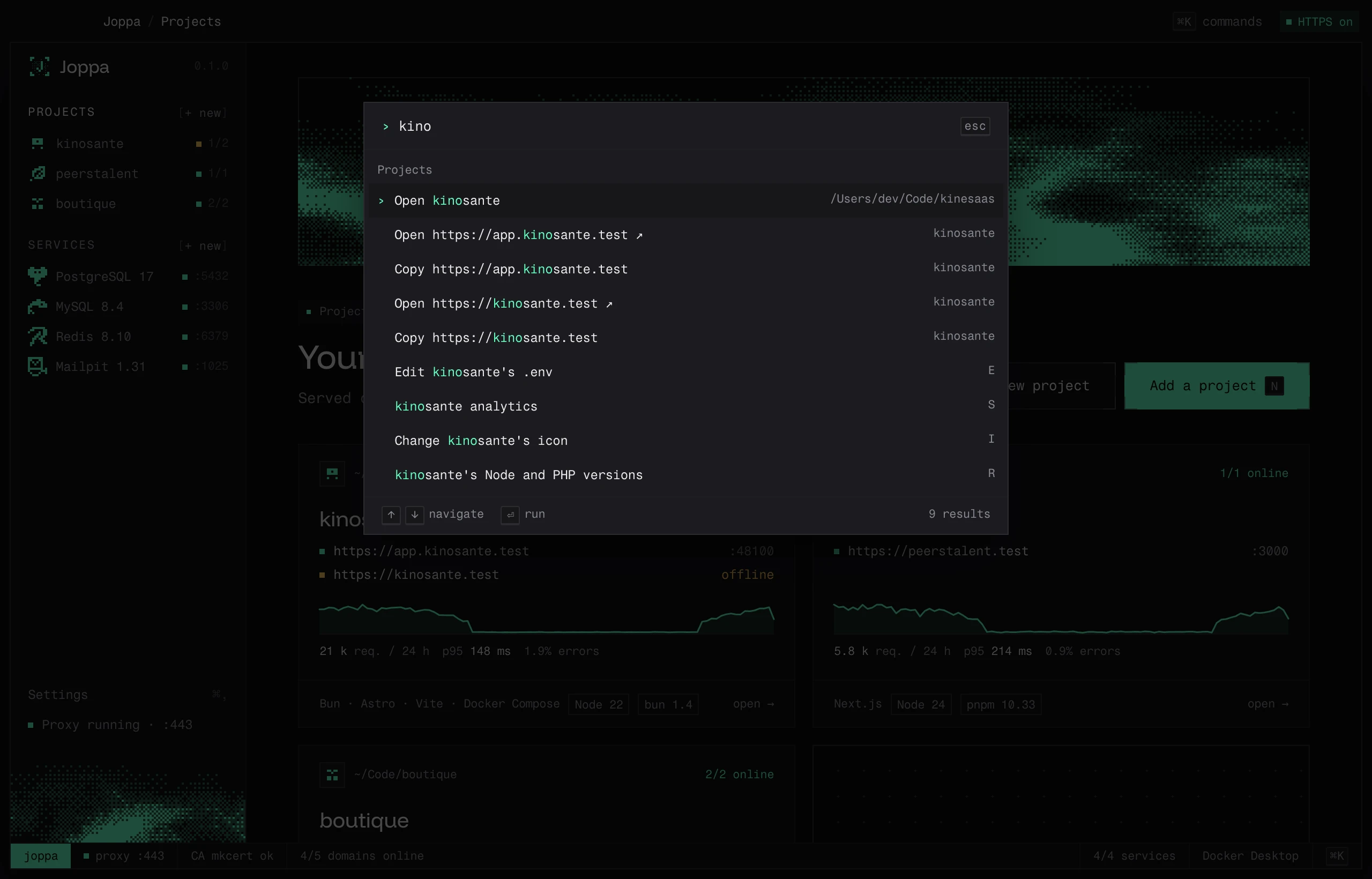
Type a few letters: “open”, “copy”, “start”, a project or service name. ↑ ↓ to navigate, ⏎ to run, esc to close.
| Group | Commands |
|---|---|
| Projects | Open project · Open https://… ↗ · Copy https://… · Edit the .env · Analytics · Change icon · Node and PHP versions · Add a project · New project from a template |
| Processes | Start all / Stop all · Start, Stop, Restart process · Logs of process · Show the terminal |
| Services | Open · Start / Stop · Copy URL · Add a service |
| Joppa | Restart the HTTPS proxy · Start / Stop the proxy · Go home · Open settings · Dark, Light, System theme |
The Processes group commands appear when a project is on screen.
Menu bar
| Shortcut | Action |
|---|---|
| ⌘ O | Open Joppa |
| ⌘ Q | Quit Joppa (asks for confirmation if dev servers are running) |
The TUI keys are on The TUI page.