Processes
Let Joppa start your dev servers and Compose containers in the right order, with a built-in terminal, a start when Joppa opens and a relaunch after a crash.
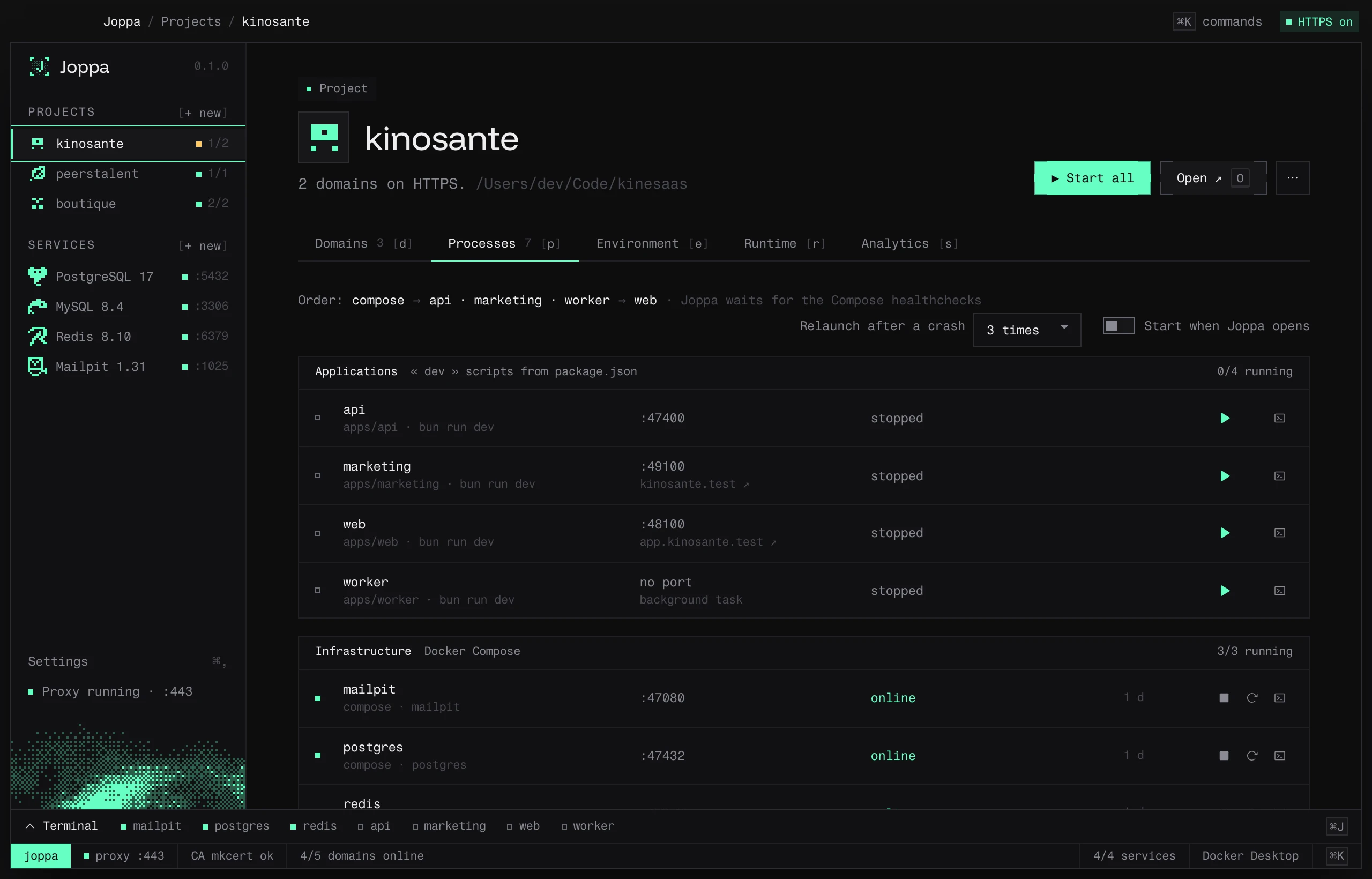
The Processes tab (P) runs the project from Joppa: its dev servers (dev scripts from package.json) and its infrastructure (Docker Compose services). Each process has its own status, port and logs.
Analyze the project
The first time, click Analyze the project, at the top of the project page (next to Open) or in the tab. Until the analysis is done, Joppa starts nothing: the domains stay offline until you start the server. Joppa reads package.json, the workspaces and the Docker Compose file, then shows What Joppa understood of the project. Nothing starts before you confirm.
| Column | Contents |
|---|---|
| In “Start all” | Uncheck a process so it doesn’t start with the others; you can still start it on its own |
| Process | Its name: web, api, postgres |
| Command | bun run dev, or the Compose service |
| Port | Editable |
| Where the port comes from | script, config, code, .env, compose or default |
The “waits for …” line shows dependencies: a dev server waits until the Compose containers it depends on are ready.
How the port is found
In this order:
- a variable with a default value in the script (
${PORT:-3000}): Joppa fills it in; --port,-porPORT=in the script;port:in the framework config (vite.config,astro.config);PORTin the.env;- the framework’s default port: Vite 5173, Astro 4321, Next.js and Nuxt 3000, Angular 4200, Wrangler 8787.
For another Node server, Joppa looks for the port in the code (.listen(3000), process.env.PORT ?? 3000).
The package manager comes from the lockfile, otherwise from the packageManager field, otherwise npm.
Monorepos
When the root dev script starts several apps at once (turbo, nx, --filter, --workspace), Joppa offers:
- Run them separately · one status and one log per app (recommended);
- As is: the root command, in a single terminal.
Save: on this machine or for the team
- Save keeps the configuration in Joppa, on this machine.
- Check Write joppa.toml in the repository for the team to share it: it’s written to a
joppa.tomlfile at the project root, for you to commit. When this file exists, it takes precedence. See the joppa.toml reference.
Save and start starts everything right away.
Start and stop
- ▶ Start all / ■ Stop all at the top of the project page, or from the ⌘ K palette (“Start all: myproject”). As soon as one process runs, the button becomes ■ Stop all.
- Each process can be started, stopped or restarted on its own, in the tab or from the palette.
Processes are grouped into Applications (“dev” scripts) and Infrastructure (Docker Compose, started with docker compose up -d --wait: Joppa waits for the healthchecks). The header shows the start order and how many are running.
| Status | Meaning |
|---|---|
| stopped | — |
| waiting | Waiting for a process it depends on |
| starting | Started, its port isn’t responding yet |
| running | Started (process without a port) |
| online | Its port responds |
| failed | Exited with an error |
| started outside Joppa | The port is already served by a process Joppa didn’t start |
| no Docker | Compose service, but no runtime is running |
The ▶ 6/7 counter next to the project, in the sidebar and on its card in the Projects page, says how many processes of « Start all » are running; the status bar at the bottom of the window adds up every project (6/7 processes). The colour of the ▶: green when everything runs, orange when some are stopped, starting or started outside Joppa, red only when one has failed. Hover the counter for the details.
If the port is taken by another program, Joppa tells you and offers Free the port.
Stopping sends SIGTERM, then SIGKILL after 6 seconds.
Start when Joppa opens
The Start when Joppa opens switch runs a “Start all” for the project every time Joppa launches. It’s a preference of your machine: it’s never written to joppa.toml.
Relaunch after a crash
The Relaunch after a crash setting chooses how many times Joppa relaunches a dev server that crashes: never, 1, 2, 3 (default), 5 or 10 times.
- The wait doubles between relaunches: 1 s, 2 s, 4 s, 8 s… up to 30 s.
- The counter resets after 60 seconds of stable running.
- Beyond that, Joppa gives up and says so: “crashed again after 3 relaunches: Joppa gave up.”
- A stop you request cancels a pending relaunch.
This setting only applies to dev servers (not Compose containers) and stays specific to your machine.
The built-in terminal
⌘ J opens the terminal at the bottom of the window, from any screen. Collapsed, it shows one status square per process; open, an All tab followed by one tab per process.
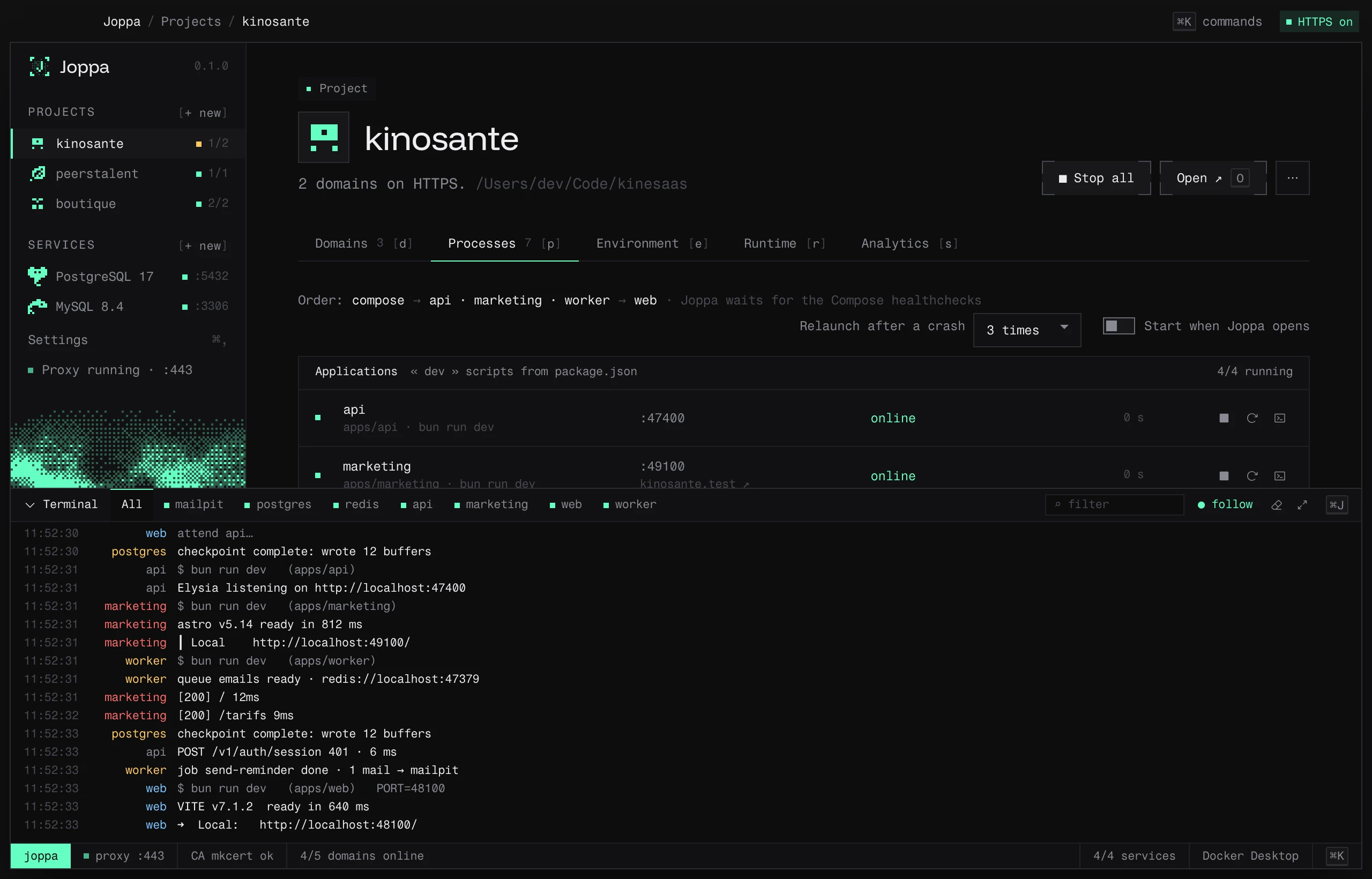
- ⌕ filter: only shows lines containing some text.
- ● follow: sticks to the latest lines.
- Clear, Expand / Shrink.
- Resize: drag the top edge (or ↑ / ↓ on the keyboard); a double-click restores the default height. Joppa remembers the last height.
Joppa keeps the last 5,000 lines of each process. On failure, the terminal offers the useful action: Free the port or Restart.